
DocsAlot
Documentation platform that publishes hosted docs for people plus llms.txt, skill.md and an MCP server for AI agents.
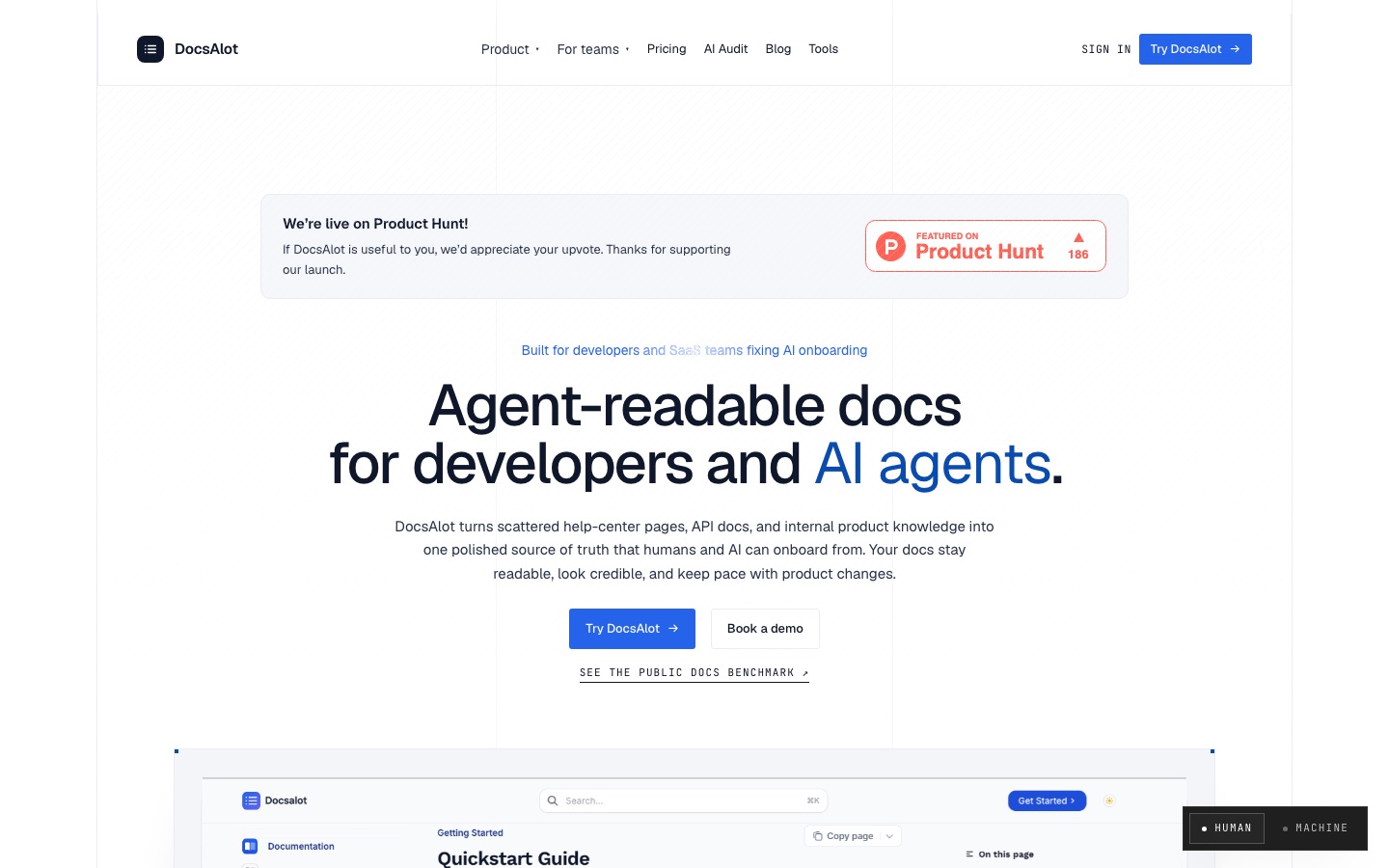
DocsAlot is a documentation platform that turns help-center articles, API references and repository docs into a hosted docs site along with machine-readable outputs for AI agents, such as llms.txt, skill.md and a hosted MCP endpoint. DocsAlot is used by connecting existing sources, publishing from them, and auditing what AI assistants can find and cite.
Best for Startups and developer-facing SaaS teams that want one documentation source serving both human readers and AI coding agents.
- Listed in
- AI Code AssistantDeveloper API
- Platforms
- Web, MCP
- Pricing model
- Subscription
- Made by
- DocsAlot
- Added
Last verified: . Information taken from docsalot.dev.
What is DocsAlot?
DocsAlot is a hosted documentation service aimed at startups, developer-tool companies and SaaS teams. It pulls in material from places such as GitHub docs, help-center pages, OpenAPI references, READMEs, changelogs and product notes, and maintains it as one source. From that source it publishes a docs site and API reference for human readers and, in parallel, files and tools intended for AI agents: an llms.txt routing file, a skill.md guide, clean Markdown and an MCP server with search, page-fetch and example-running tools. A command-line tool and an installable skill let coding agents such as Codex, Cursor or Claude draft docs straight from a repository. An audit and a public benchmark report show which pages assistants cite and where answers go wrong. Plans are named Startup, Team and Enterprise; collaborators are not charged per seat, and optional service packs cover migration and visibility work.
Key Features
Hosted Docs and API Reference
Publishes quickstarts, guides and OpenAPI-based reference pages as a docs site.
Agent-Readable Exports
Generates llms.txt, skill.md and Markdown versions from the same content the site is built on.
Hosted MCP Endpoint
Gives each project an MCP server exposing tools to search docs, fetch a page and run an example.
CLI and Agent Skill
Installs through npm and lets a repo-aware coding agent create documentation from the project.
Source Connections
Imports from GitHub docs, help centers, OpenAPI files and notes, and tracks their sync status.
AI Visibility Audit
Reports which docs AI assistants can find and cite, and lists gaps to fix.
How DocsAlot works
Connect your sources
Link the places your documentation already lives, such as a GitHub repository, a help center, an OpenAPI reference or product notes.
Package for agents
DocsAlot derives the agent-facing outputs from that material: an llms.txt file, a skill.md guide, clean Markdown and chunks for MCP retrieval.
Publish and keep current
Ship the hosted docs, review changes and audit what AI tools can see.
Screenshots
Use Cases
- Launching Startup Docs
- Stand up a public docs site for a new product from existing READMEs and notes.
- Making an API Agent-Friendly
- Publish reference docs with an MCP server so coding agents can query them.
- Merging Help Center and Developer Docs
- Maintain support articles and technical docs from one source.
- Migrating From Another Tool
- Move content out of a help desk, wiki or Markdown repo with a migration pack.
- Checking AI Answers
- Find out what an assistant says about your install flow and which page it cites.
Things to know
- Plan differences
- Startup covers one public docs site and two languages; Team adds a custom domain, private docs, five languages and 250 AI messages a month.
- Enterprise is sales-led
- Enterprise is arranged through an onboarding call and is not available through self-serve checkout.
- Free audit offer
- The site offers a free AI visibility audit, described as a report of four to six pages delivered within 48 hours.
FAQs
What is DocsAlot?
DocsAlot is a documentation platform that publishes hosted docs for people and machine-readable outputs, including llms.txt and an MCP server, for AI agents.
What is DocsAlot used for?
DocsAlot is used to build and maintain help centers and developer documentation that both human readers and AI assistants can use.
Does DocsAlot provide an MCP server?
Yes. DocsAlot says every project gets a hosted MCP endpoint with tools for searching docs, fetching pages and running examples.
Can I use my own domain with DocsAlot?
Yes. DocsAlot says Team and Enterprise customers can host docs on their own subdomain with automatic SSL.
Does DocsAlot charge per seat?
No. DocsAlot's Startup plan states there is no per-seat charge for collaborators, and Enterprise includes unlimited seats.
Can DocsAlot migrate docs from other tools?
Yes. DocsAlot offers a Docs Pack service that imports support articles, Markdown, Confluence spaces, Google Docs and similar sources.
How much does DocsAlot cost?
DocsAlot has Startup, Team and Enterprise plans billed monthly, with Enterprise priced on request. See the official pricing page for current figures.
Who it's for
- Startup founders
- Developer-tool companies
- API companies
- SaaS teams
- Support teams
Comments
No comments yet. If you have used DocsAlot, tell other readers how it went.
Alternatives to DocsAlot
| Tool | Free plan | Starting price | API |
|---|---|---|---|
 TheneoAPI documentation and developer portal platform with AI-generated docs, Ask AI search, changelogs and an MCP server. TheneoAPI documentation and developer portal platform with AI-generated docs, Ask AI search, changelogs and an MCP server. |
Yes | — | Yes |
 FernGenerates API documentation sites, SDKs in multiple languages and a CLI from one API specification. FernGenerates API documentation sites, SDKs in multiple languages and a CLI from one API specification. |
Yes | — | Yes |
 DocuWriter.aiAI platform that generates structured documentation from code repositories and keeps it updated as the code changes. DocuWriter.aiAI platform that generates structured documentation from code repositories and keeps it updated as the code changes. |
— | — | Yes |
 AI2SQLAI SQL assistant that writes, explains, fixes and optimises queries against your real database schema. AI2SQLAI SQL assistant that writes, explains, fixes and optimises queries against your real database schema. |
Yes | $9/mo | Yes |
 APIParkUnified gateway for calling, authenticating, billing and monitoring AI models, APIs and MCP services. APIParkUnified gateway for calling, authenticating, billing and monitoring AI models, APIs and MCP services. |
— | — | Yes |
Listed in the same categories as DocsAlot. A starting price appears only where we checked it on the maker’s pricing page; a dash means not checked or not published. All AI Code Assistant tools