Görsel promptu Posterler ve tipografi Özelleştirilebilir Fotoğrafını ekle
Mezuniyet fotoğrafını on yıl sonrasını anlatan film afişine dönüştürün
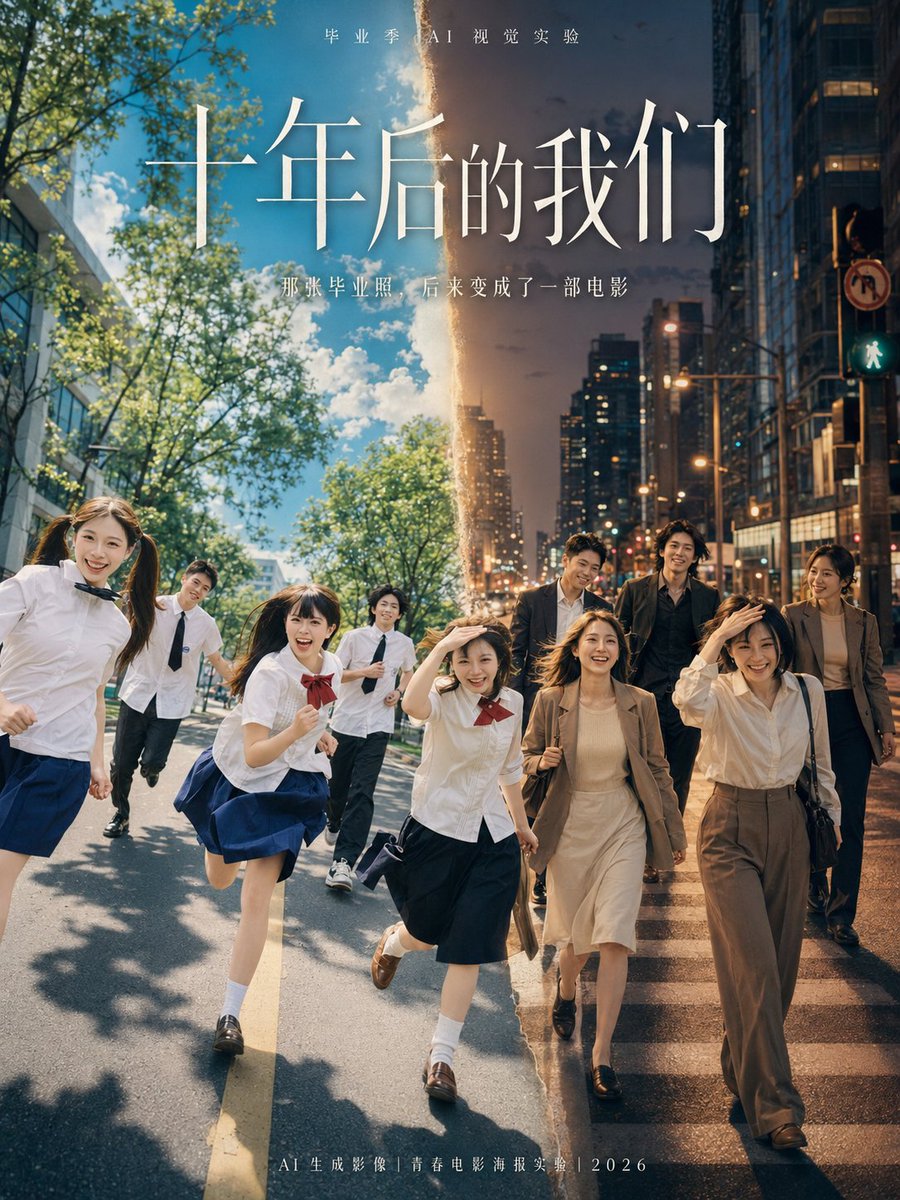
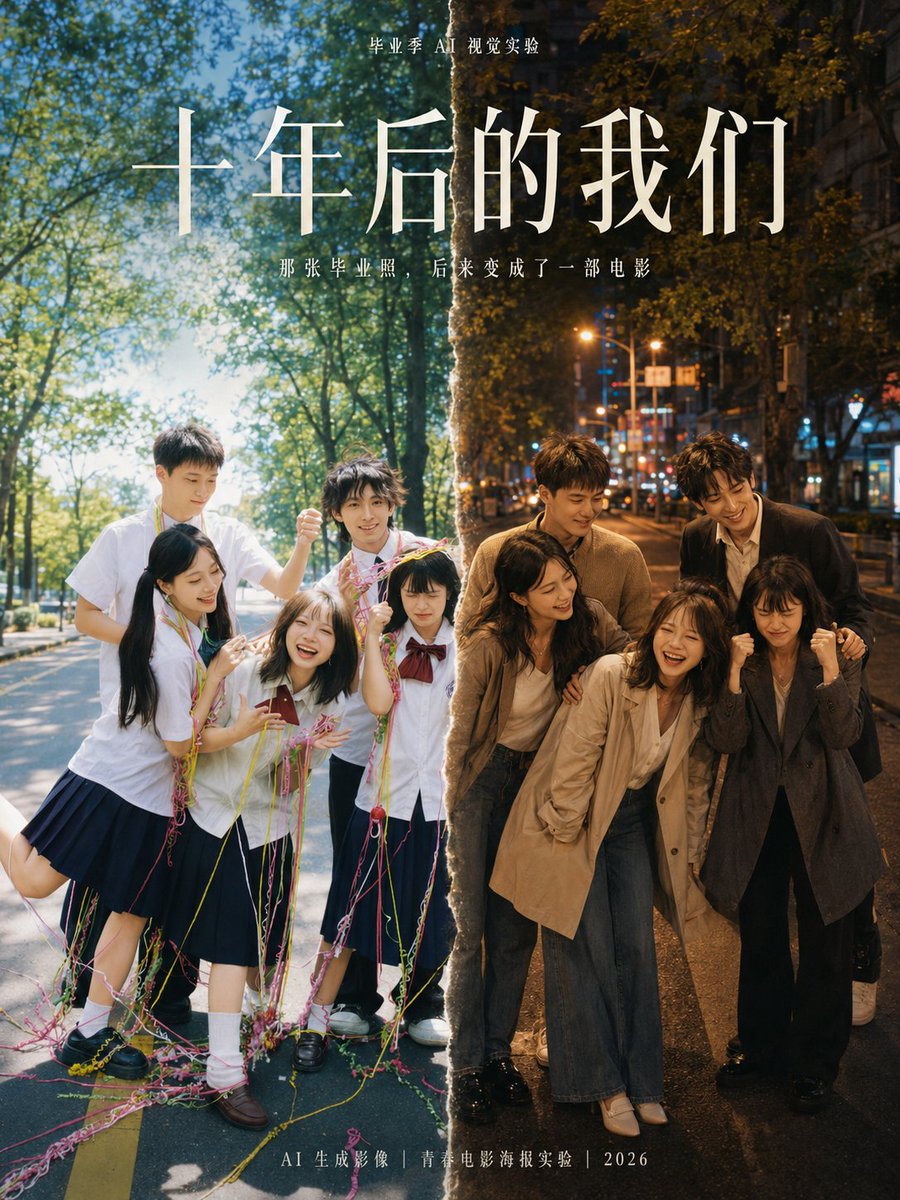
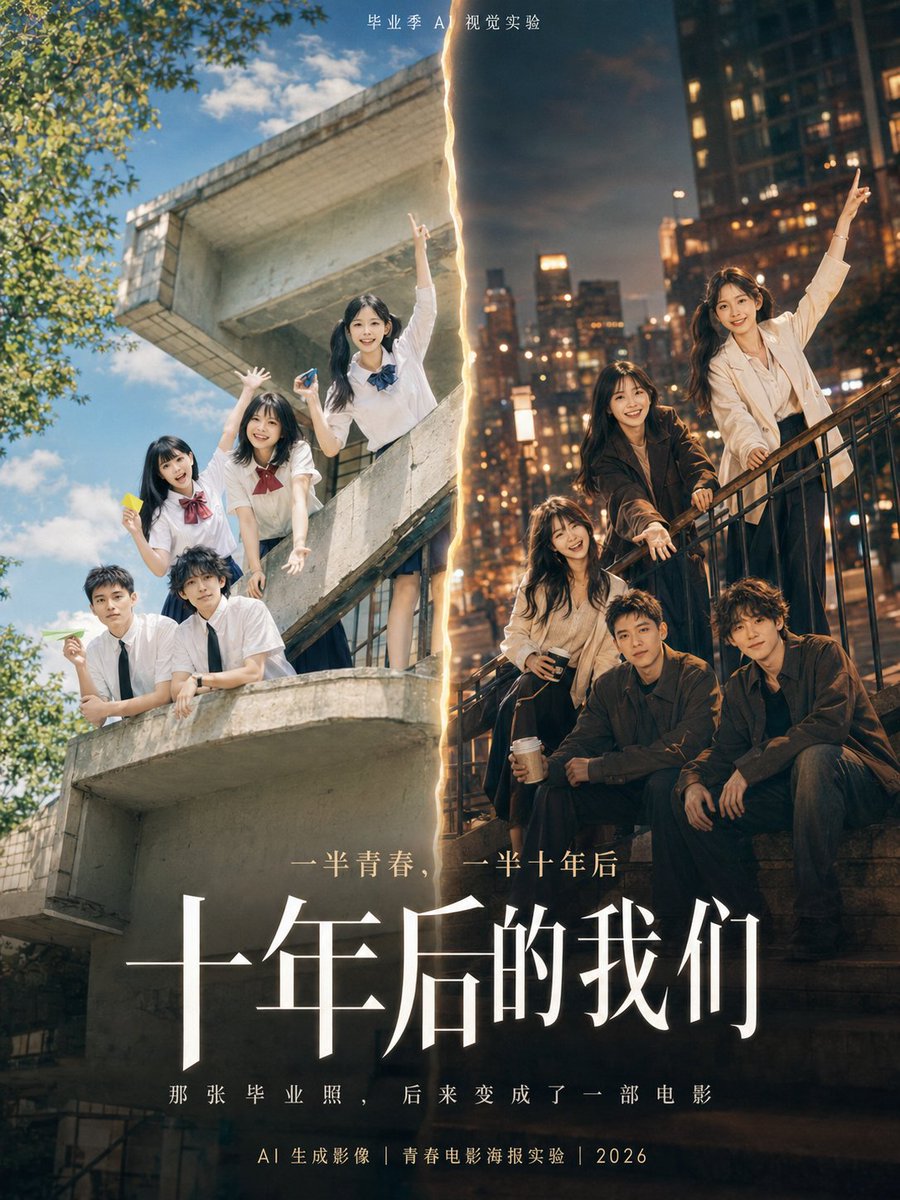
Tek bir mezuniyet fotoğrafını ikiye bölen dikey, film tarzı bir afiş: solda parlak bir kampüs yazı, sağda on yıl sonra alacakaranlık bir şehir sokağı. Yumuşak bir ışık hüzmesi iki yarıyı birbirine bağlayarak aynı insanları tek bir hikâyenin parçası gibi gösteriyor.

- Model
- GPT Image 2
- Tür
- 3 görsel
- En boy oranı
- 3:4
- Paylaşım
- 16 Haz 2026
- X'teki beğeniler
- 86
Afiş başlığıAlt başlıkÜst küçük metin
Görsel promptu
2,067 karakterUsing the graduation photo I uploaded, redraw it into a 3:4 vertical youth movie poster on the theme «Us, Ten Years Later». Keep the approximate number of people, their positions, poses, relationships and main facial features from the original; do not change the distance or relationship between the people. You may improve clothing, hairstyles, lighting, background and poster layout, but do not generate real school names, real school crests, real class information or personal private text. Composition: Use a movie-poster composition of «half the graduation year, half ten years later». Left side, the summer of graduation: Bright campus, blue sky and white clouds, sports field, school building, white shirt or school uniform; a fresh, young, bright atmosphere. Right side, them ten years later: A city street corner, dusk light, mature clothing, a light breeze stirring their clothes; a quieter presence with more of a story. Visual hook: Between the two time periods, connect them with a soft beam of light, a paper crease, a film dividing line or a crack in time. Let the viewer see at a glance: these are the same people, ten years on. Poster text: Small text at top: «Graduation Season AI Visual Experiment» Main title: «Us, Ten Years Later» Subtitle: «That graduation photo later became a movie» Layout requirements: Use an elegant serif (Song/Mincho-style) typeface for the main title and a thin sans-serif for the subtitle. The image should have a clear title area, people area and negative space. Do not add personal labels at the bottom. Visual style: Youth movie poster, real photographic texture, fresh blue-and-white campus tones on the left, mature warm city tones on the right, soft backlight, slight film grain, sense of air, restrained emotion but with a sense of time. Avoid: No cartoonization, no excessive anime style, no incorrect Chinese, no garbled English text, no real school names, no real crests, no superfluous logos, no facial deformation, do not change the number of people, do not confuse the relationships between people.
Nasıl kullanılır
Önce kendi mezuniyet fotoğrafınızı yükleyerek başlayabilirsiniz; düzen, kişi sayısını, pozlarını ve aralarındaki ilişkileri fotoğraftan korur. Zaman atlamasının hissini veren bölünmüş kare fikrini ve mavi-beyaz ile sıcak şehir arasındaki kontrastı koruyun. Afiş metnini kendi başlığınız ve alt başlığınızla değiştirin, gerçek okul adlarını veya armalarını ise çıkarın. Bu, bir GPT Image 2 promptu olarak paylaşıldı; sonuç sosyal medya paylaşımı veya hatıra baskısı için uygun.
Yer aldığı koleksiyonlarFilm afişi yapay zekâ promptları
16 Haz 2026 tarihinde X'te herkese açık olarak paylaşıldı. Bu prompt ve sonucunun tüm hakkı içerik üreticisine aittir. Bu sizin mi? Güncelleme veya kaldırma talep edin.